Phase 01
Set up your restaurant
Upload your logo, pick your colors, choose a template. You do this once and every menu inherits the look. On the Business plan, set up multiple brands from one account.
- Upload your logo or use a text wordmark
- Set your color palette and accent colors
- Pick from 50 professionally designed templates
- Add your restaurant name and tagline
Set Up Your Restaurant
Step 2 of 3Restaurant Name
Le Sel Bistro
Cuisine
French
Italian
Japanese
American
Mexican
Cafe
Style
Fine Dining
Casual
Bar & Grill
Logo (Optional)
Drop your logo here
Recommended
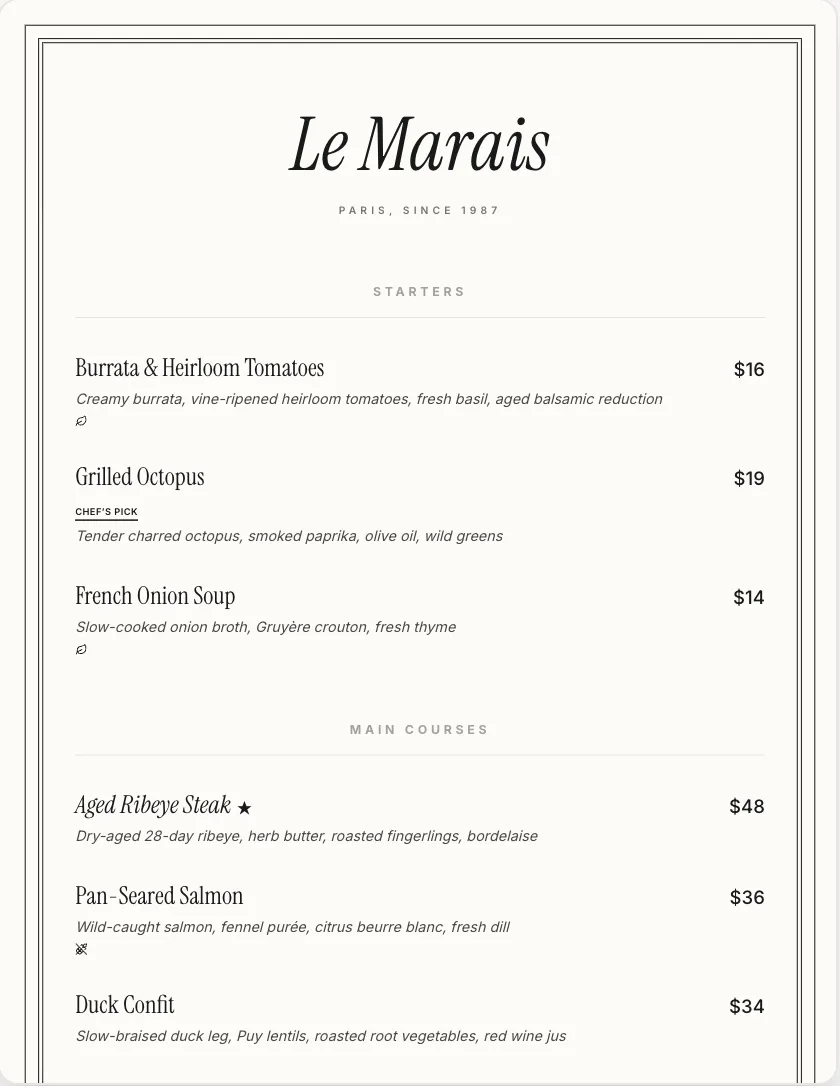
Le MaraisBest
Elegant French bistro with centered layout
98%
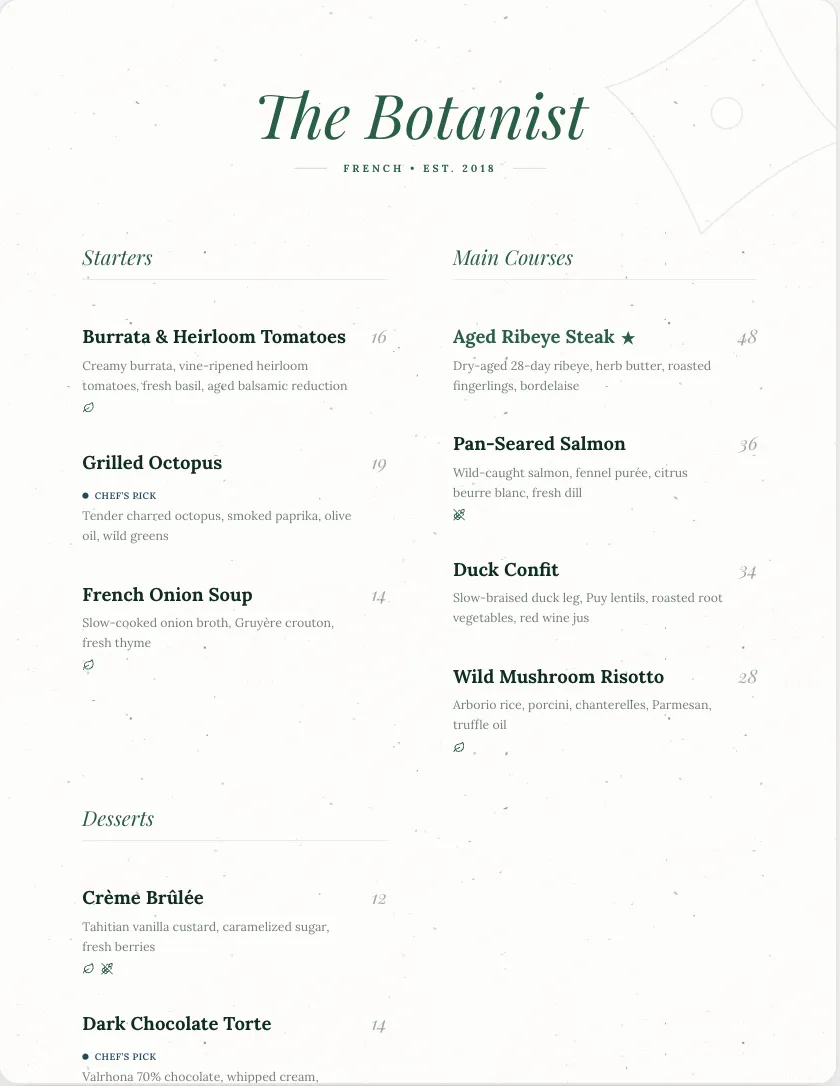
Botanist
Warm and inviting, classic serif pairing
94%
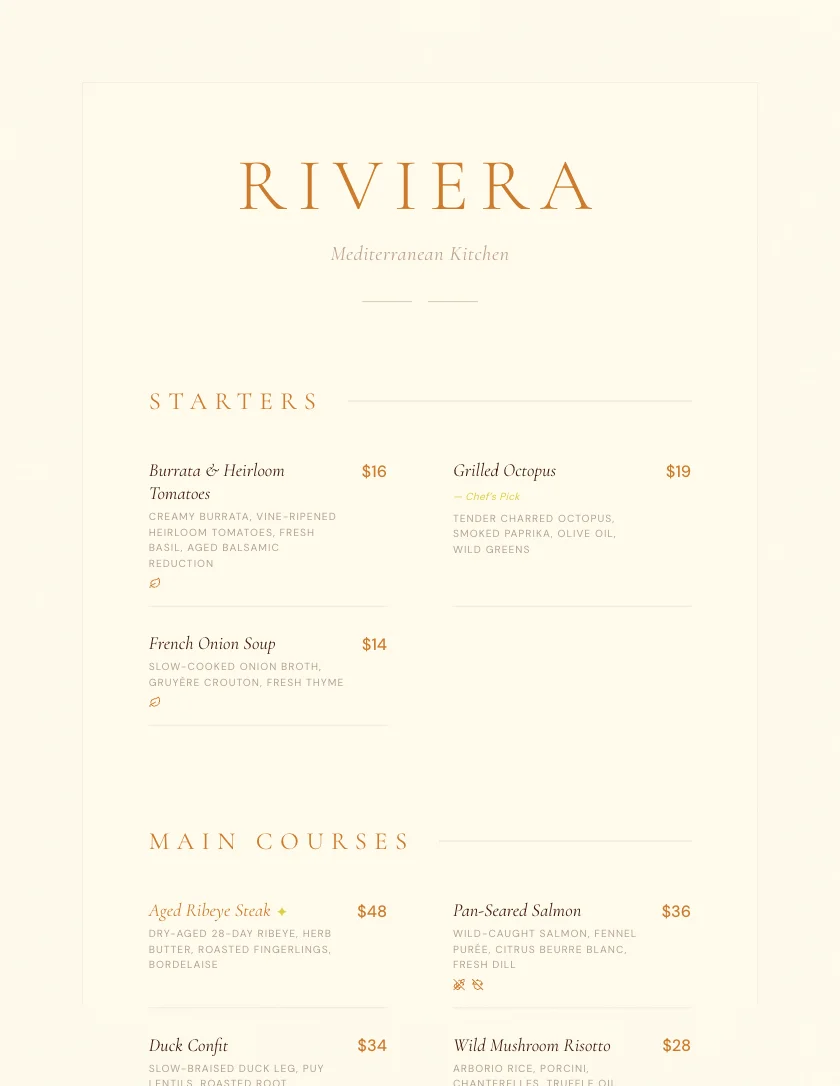
Riviera
Mediterranean-inspired, airy whitespace
89%
Use Le Marais
Phase 02
Build your menu
Import your existing menu from a photo or PDF, generate one with AI, or start from scratch. Edit from there.
- Import an existing menu from photo, PDF, or text
- Generate a full menu with AI in one click
- Organize by section (Mains, Drinks, Desserts)
- Add items with names, prices, and descriptions
- Generate descriptions with AI in one click
- Tag dietary info (vegetarian, GF, vegan, nut-free)
- Drag and drop to reorder anything
Dinner Menu / Le Sel Bistro
Starters3 items
French Onion Soup$14
Caramelized onions, gruyère crouton, rich beef broth
V
Tuna Tartare$18
GFDF
Burrata Salad$16
VGF
Main Courses2 items
Pan-Seared Salmon$28
Wild-caught, lemon beurre blanc, haricots verts
GFNF
Aged Ribeye Steak$34
Dry-aged 28 days, rosemary-garlic butter, roasted potato
Desserts
4 items missing descriptionsAI can write them all at once
Enhance All
Phase 03
Publish and share
One click and your menu is live. Customize your QR code with branded frames and table numbers, schedule seasonal availability, or download a print-ready PDF.
- Publish instantly with one click
- Get a clean, shareable URL
- Style your QR code with dot patterns, colors, and frames
- Add your restaurant name, table numbers, and WiFi info
- Schedule seasonal menus to go live and expire on specific dates
- Export hi-res PDFs, PNGs, and SVGs for print
Export & Share
Share
PDF
Embed
Image
Le Sel Bistro
Table7
Scan for Menu
PNG
SVG
Menu is LiveVisible until May 31
Mar 1 – May 31, 2026Active
Menu Linksquared.menu/
lesel-dinner
Copy
Share:
menusquared.com
Le Sel Bistro · Dinner MenuFine French dining in the heart of the cityPhase 04
Optimize and grow
Your dashboard tracks menu health, suggests improvements, and helps you rotate seasonal offerings. The work doesn't stop at publish.
- Menu health scores with actionable tips
- AI pricing analysis and margin suggestions
- Seasonal item recommendations
- Update any menu instantly, changes go live on save
Dashboard
This Week
82Score
Generate descriptions for 4 empty items
Your Salmon is underpriced, suggest $25
Spring menu ideas available
Dinner menu updated 2 hours ago